这里记录下工作中Git、GitLab、GitHub中遇到的一些问题和总结。
问题1:hint: Updates were rejected because the tip of your current branch is behind
使用git提交本地仓库信息至远程仓库时出现以下报错: 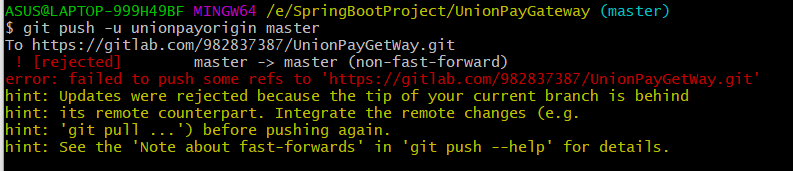 首先看下 这个问题出现的原因: 在GitLab后台创建一个新的远程项目,勾选了“使用自述文件初始化仓库”,如图所示:
 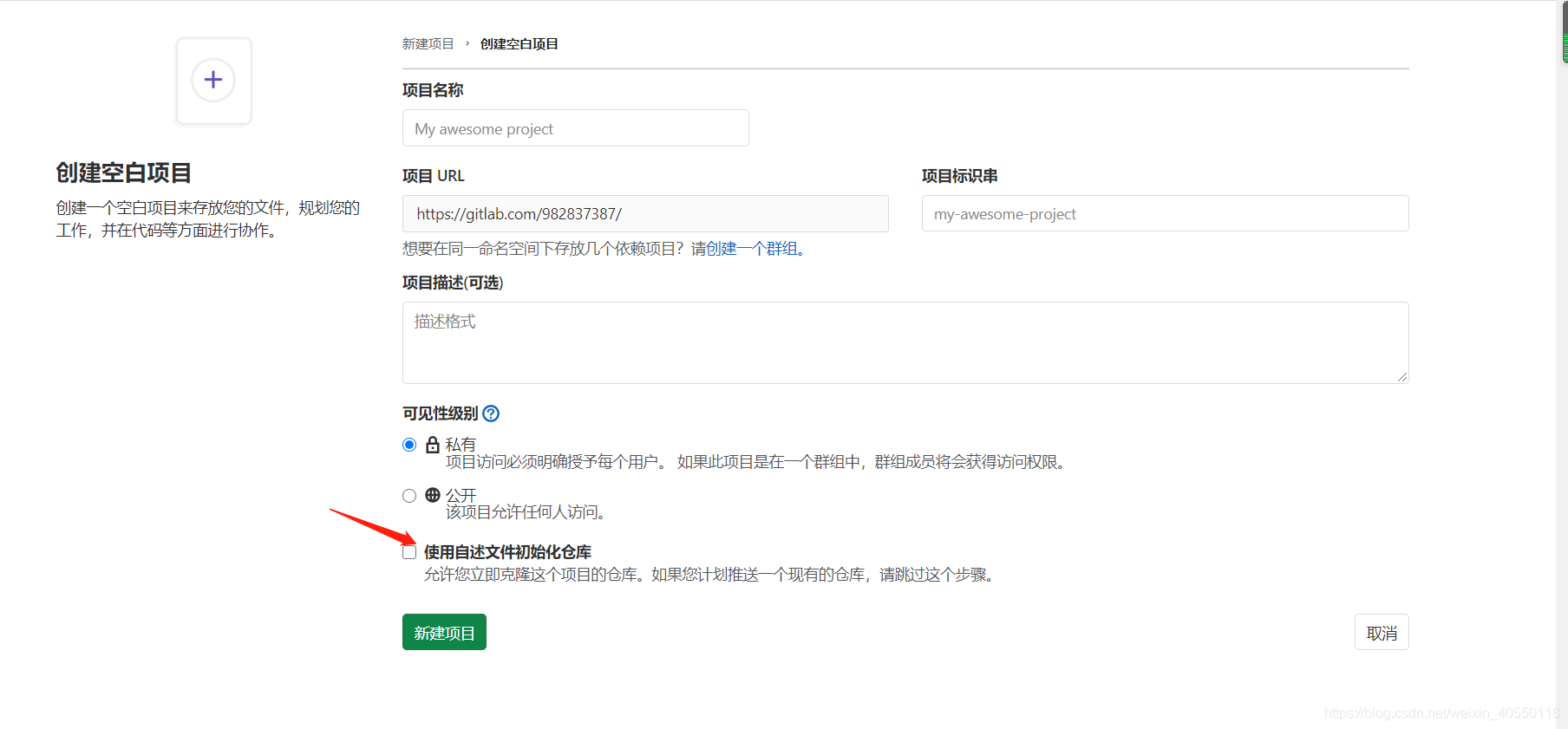 这样的话会在项目中自动创建一个README.md文件,在本地仓库的项目除非是通过Clone进行克隆远程仓库的项目,不然在提交之前,需要使用
git pull origin master命令将远程仓库的文件拉去下来,在本地进行合并,再进行push提交。
一般情况下以上的操作会直接成功,但是在实际操作的过程中,可能会出现以下报错:  出现这个问题的最主要原因还是在于本地仓库和远程仓库实际上是独立的两个仓库,远程仓库的文件和本地仓库的文件不一致,需要将远程和本地文件的进行合并达到一致,然后再进行push操作。假如之前是直接clone的方式在本地建立起远程github仓库的克隆本地仓库就不会有这问题了。
查阅了一下资料,发现可以在pull命令后紧接着使用--allow-unrelated-histories选项来解决问题(该选项可以合并两个独立启动仓库的历史)。  然后再push提交即可: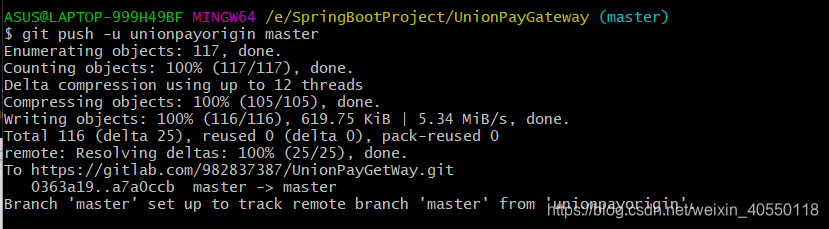
问题二:使用push命令时出现:Failed with error: unable to access ‘https://github.com/firstPro.git/’: The requested URL returned erro 403
使用命令git push –set-upstream origin master提交远程仓库代码时,出现报错如下: Failed with error: unable to access ‘https://github.com/firstPro.git/’: The requested URL returned erro 403
解决:因为本地计算机绑定了默认的github账号,这里需要将绑定的账号删除 
然后再使用git push命令即可.
ASUS@LAPTOP-999H49BF MINGW64 ~/Desktop/firstPro (master)
$ git push --set-upstream origin master
Logon failed, use ctrl+c to cancel basic credential prompt.
Enumerating objects: 3, done.
Counting objects: 100% (3/3), done.
Writing objects: 100% (3/3), 209 bytes | 52.00 KiB/s, done.
Total 3 (delta 0), reused 0 (delta 0), pack-reused 0
remote:
remote: Create a pull request for 'master' on GitHub by visiting:
remote:      https://github.com/982837387/firstPro/pull/new/master
remote:
To https://github.com/982837387/firstPro.git
 * [new branch]      master -> master
Branch 'master' set up to track remote branch 'master' from 'origin'.
在本地创建的分支,也可以通过push的方式在远程创建一个相同的分支,比如创建一个v1分支:
ASUS@LAPTOP-999H49BF MINGW64 ~/Desktop/firstPro (master)
$ git branch
* master

ASUS@LAPTOP-999H49BF MINGW64 ~/Desktop/firstPro (master)
$ git branch v1

ASUS@LAPTOP-999H49BF MINGW64 ~/Desktop/firstPro (master)
$ git branch
* master
  v1

ASUS@LAPTOP-999H49BF MINGW64 ~/Desktop/firstPro (master)
$ git checkout v1
Switched to branch 'v1'

ASUS@LAPTOP-999H49BF MINGW64 ~/Desktop/firstPro (v1)
$ git branch
  master
* v1

ASUS@LAPTOP-999H49BF MINGW64 ~/Desktop/firstPro (v1)
$ git status
On branch v1
nothing to commit, working tree clean

ASUS@LAPTOP-999H49BF MINGW64 ~/Desktop/firstPro (v1)
$ git log
commit f41fef2d74830d873c482d1a43d0bb2bc1e63a0e (HEAD -> v1, origin/master, master)
Author: wshy0924 <wshy0924@126.com>
Date:   Mon Dec 14 13:57:50 2020 +0800

    create test.html

ASUS@LAPTOP-999H49BF MINGW64 ~/Desktop/firstPro (v1)
$ git status
On branch v1
Changes not staged for commit:
  (use "git add <file>..." to update what will be committed)
  (use "git restore <file>..." to discard changes in working directory)
        modified:   test.html

no changes added to commit (use "git add" and/or "git commit -a")

ASUS@LAPTOP-999H49BF MINGW64 ~/Desktop/firstPro (v1)
$ git add .

ASUS@LAPTOP-999H49BF MINGW64 ~/Desktop/firstPro (v1)
$ git commit -m 'v1 change info'
[v1 c2e6871] vv1 change info
 1 file changed, 1 insertion(+)

ASUS@LAPTOP-999H49BF MINGW64 ~/Desktop/firstPro (v1)
$ git status
On branch v1
nothing to commit, working tree clean

ASUS@LAPTOP-999H49BF MINGW64 ~/Desktop/firstPro (v1)
$ git push
fatal: The current branch v1 has no upstream branch.
To push the current branch and set the remote as upstream, use

    git push --set-upstream origin v1


ASUS@LAPTOP-999H49BF MINGW64 ~/Desktop/firstPro (v1)
$ git push --set-upstream origin v1
Logon failed, use ctrl+c to cancel basic credential prompt.
Enumerating objects: 5, done.
Counting objects: 100% (5/5), done.
Writing objects: 100% (3/3), 264 bytes | 264.00 KiB/s, done.
Total 3 (delta 0), reused 0 (delta 0), pack-reused 0
remote:
remote: Create a pull request for 'v1' on GitHub by visiting:
remote:      https://github.com/982837387/firstPro/pull/new/v1
remote:
To https://github.com/982837387/firstPro.git
 * [new branch]      v1 -> v1
Branch 'v1' set up to track remote branch 'v1' from 'origin'.
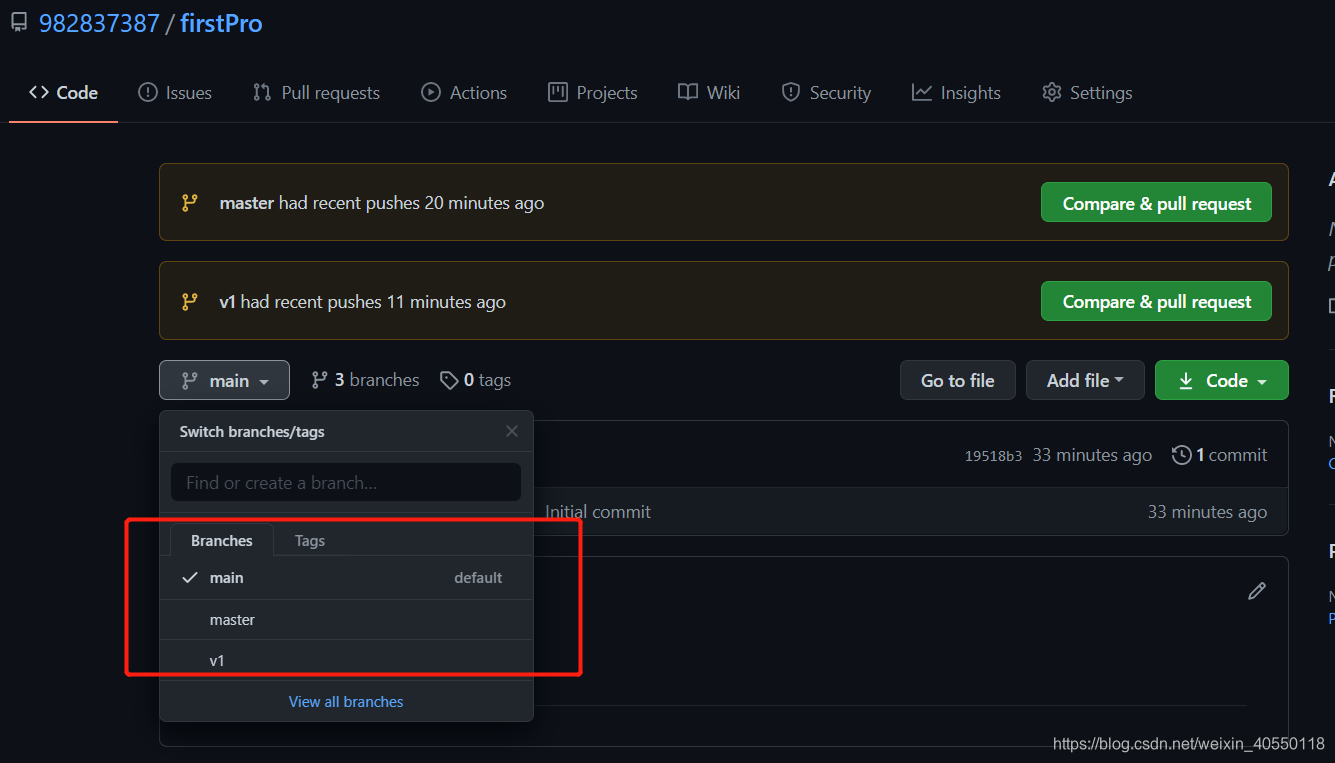
问题三:git push 提交时,Branch ‘master’ set up to track remote branch ‘master’ from ‘origin’
解决办法:通过git remote rm origin 移除绑定的远程仓库地址 再使用git remote add origin url 添加远程仓库地址
如果这样仍然不能解决的话,可以通过新建一个分支,然后利用这个分支进行push,然后再合并,或者需要将本地分支切换到与远程分支一样的分支进行提交,比如原本是在develop分支里面提交的push到远程仓库的master,可以先在本地切换到master,然后再进行 git push -u origin master操作。
问题四:Logon failed, use ctrl+c to cancel basic credential prompt. remote: Invalid username or password
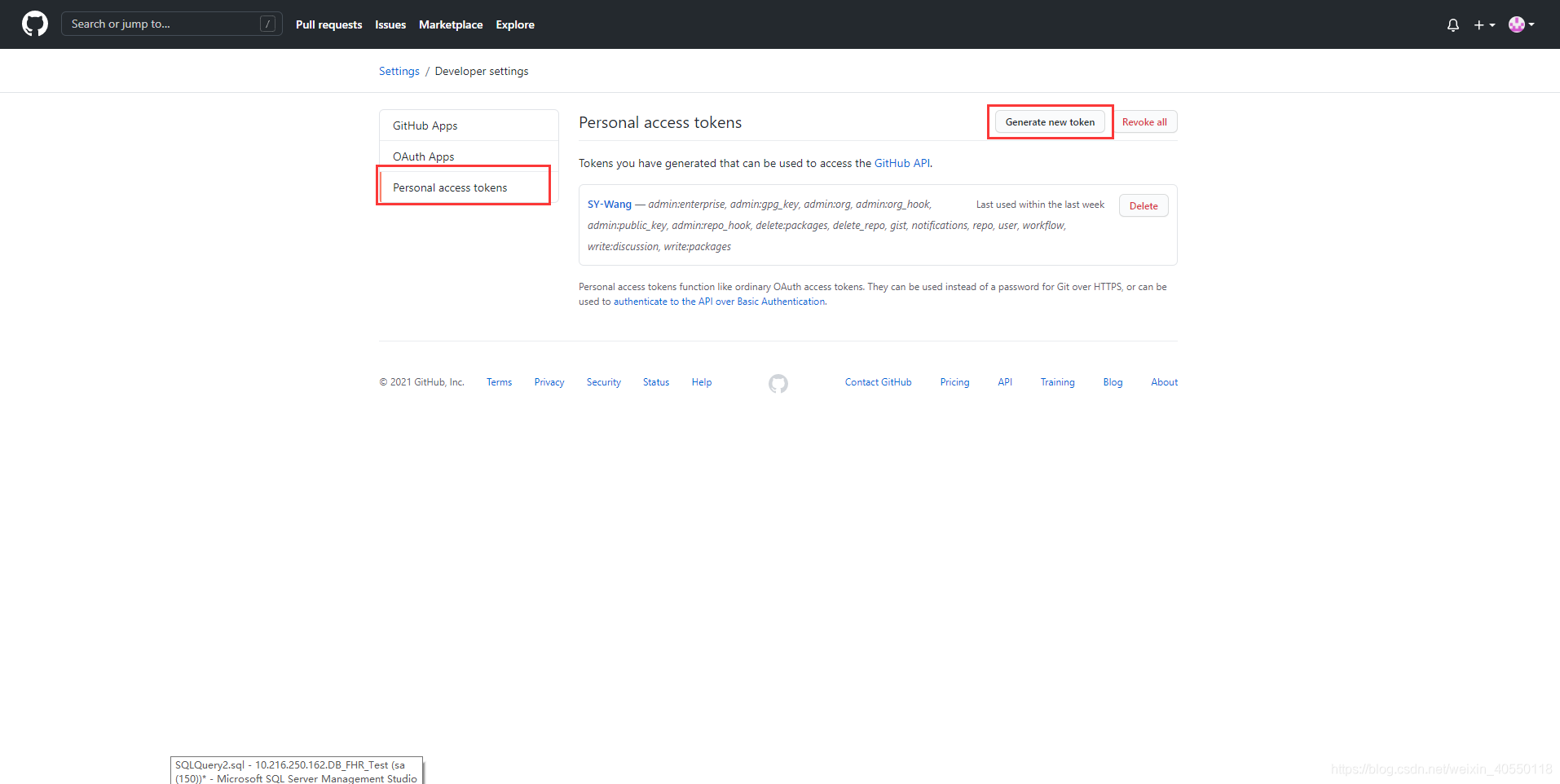
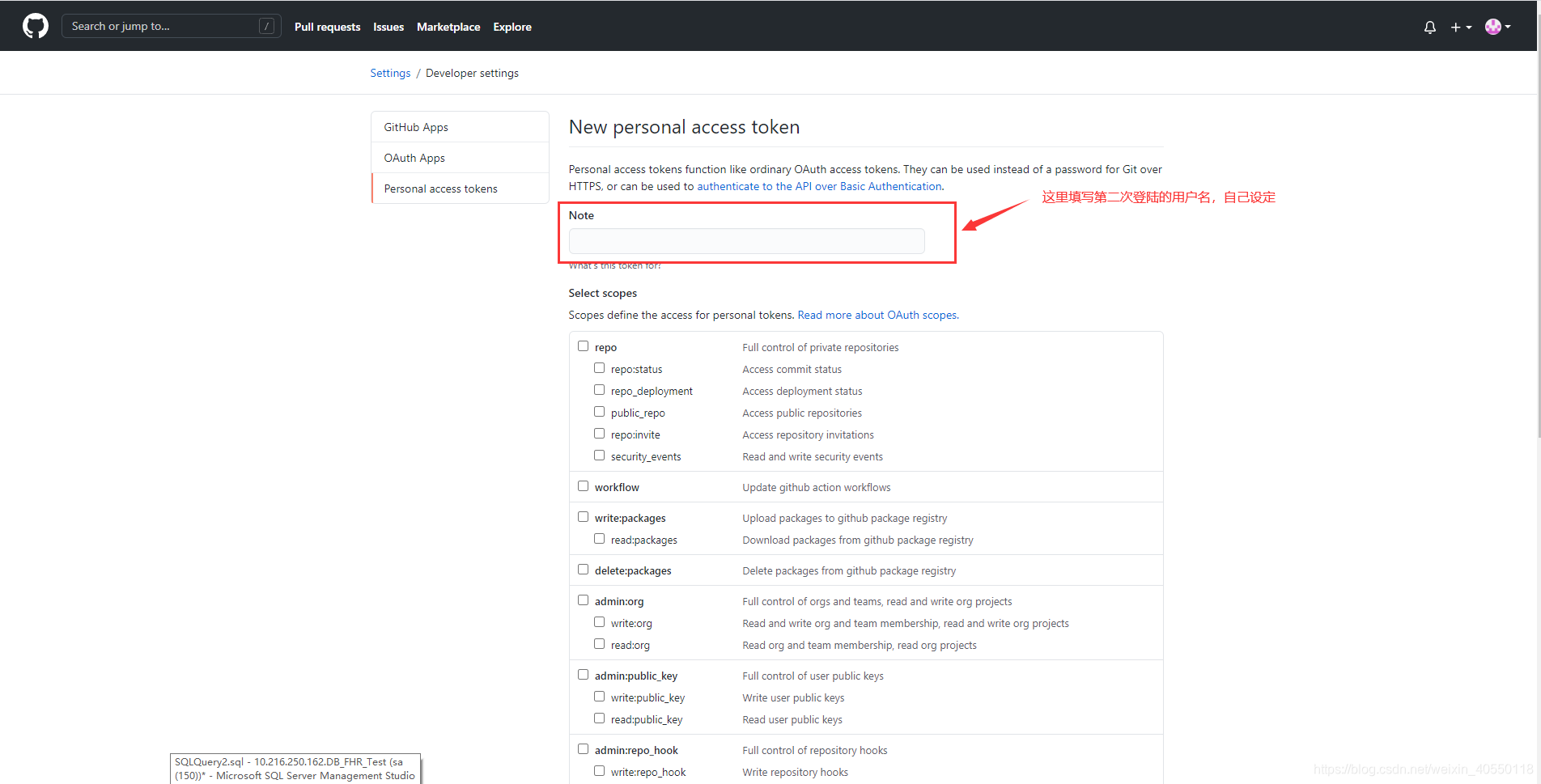
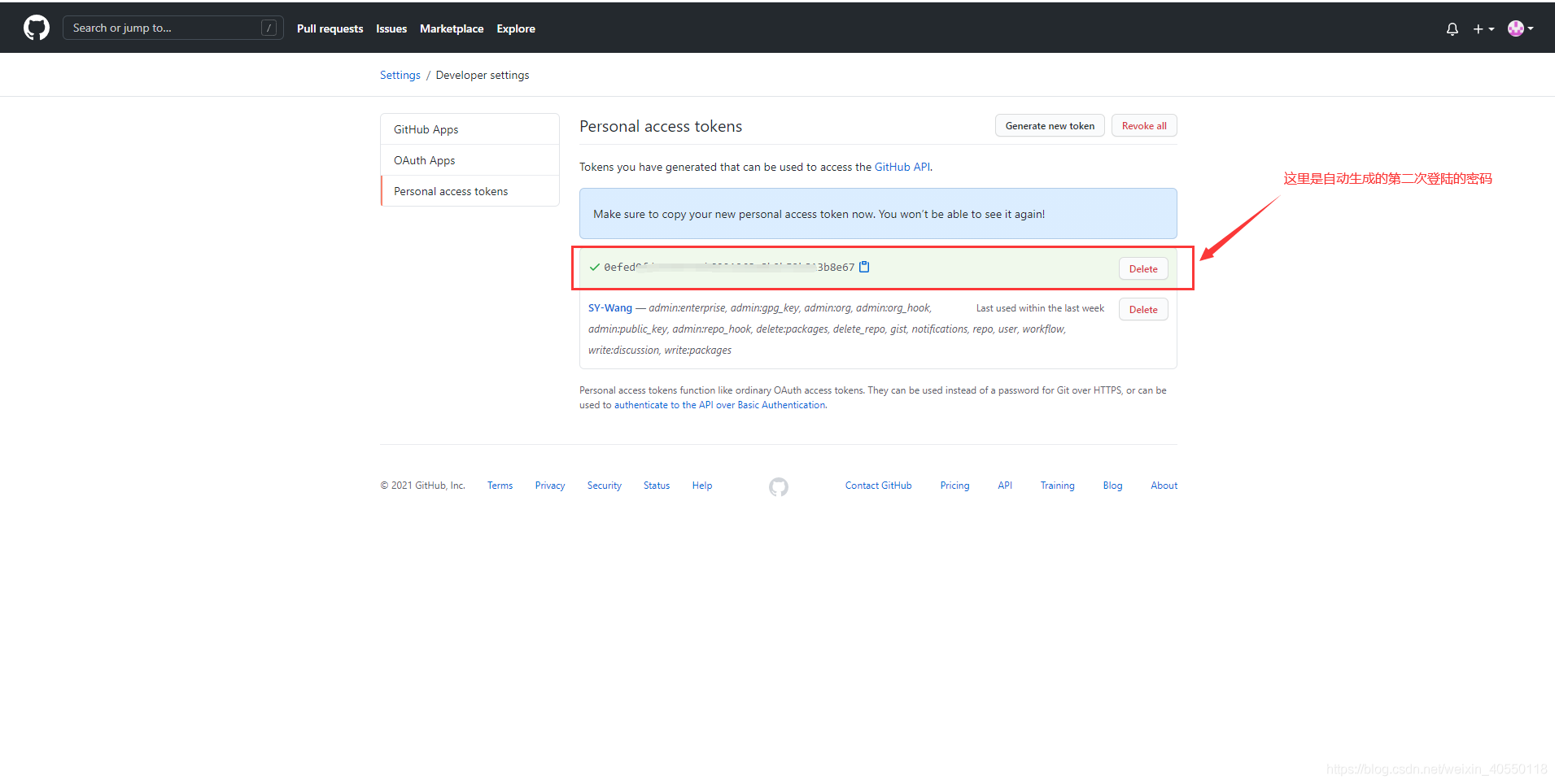
首先解释下这个问题出现的场景吗,在Git Bash中使用git push 提交代码时,首次提交GitHub时会提示登录GitHub账号,分两次登录: 第一次:GitHub登录的用户名和密码 第二次:GitHub的用户名和生成的token密码 这里由于没有设置第二次登录的用户名和密码,所以才会出现这个报错。解决方案如下所示: 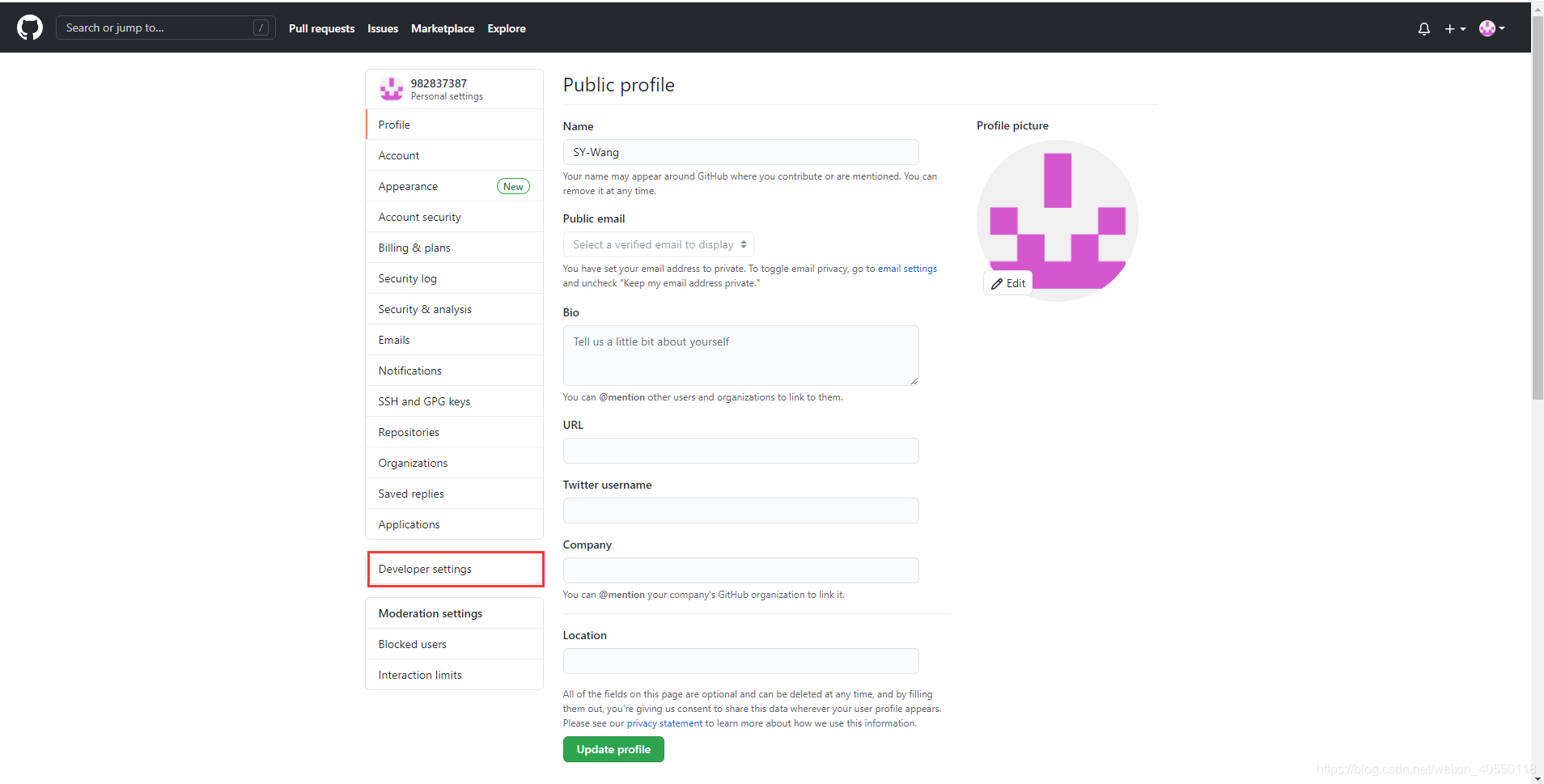
文档信息
- 本文作者:ShanYing Wang
- 本文链接:https://982837387.github.io/SY-Wang/2021/01/01/add-Git/
- 版权声明:自由转载-非商用-非衍生-保持署名(创意共享3.0许可证)